Process for Console players process ⚙️

“I play on steam(pc) account linked to your console for better fps on “

“If you have already steam linked to your console, you don’t have to read this page and just send me the steam login details to start your order”

Question 1:

Do you have an Ubisoft linked to your Console account?

No –> Create an Ubisoft account (click here) and link it to your console

Yes –> Don’t do anything

How to check if you have Ubisot linked

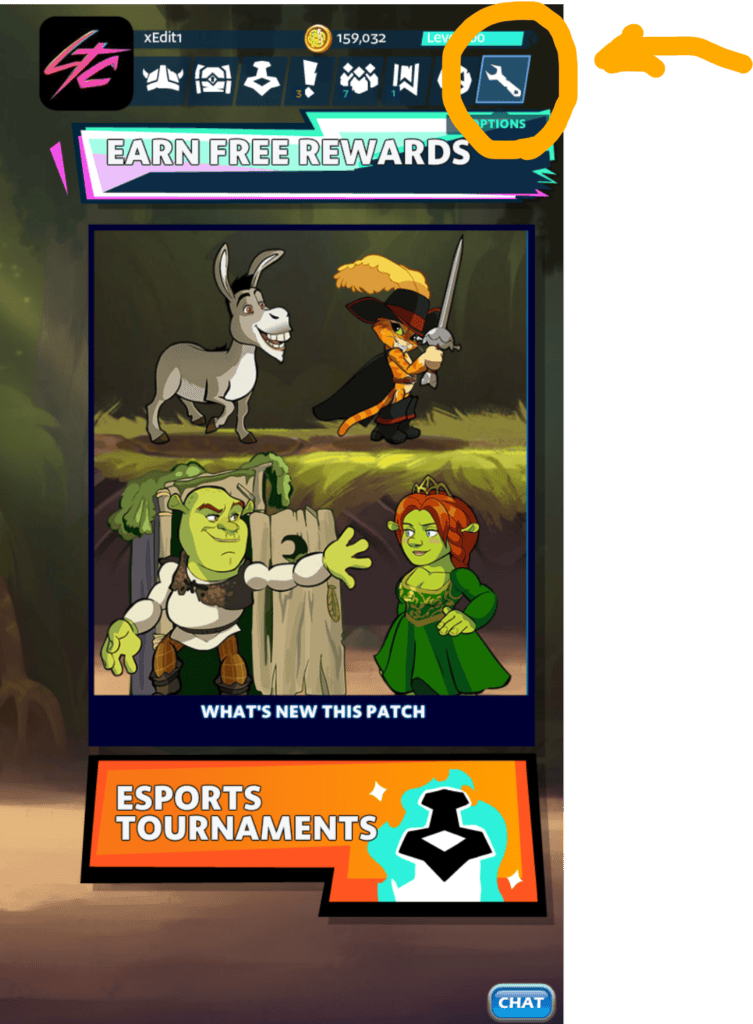
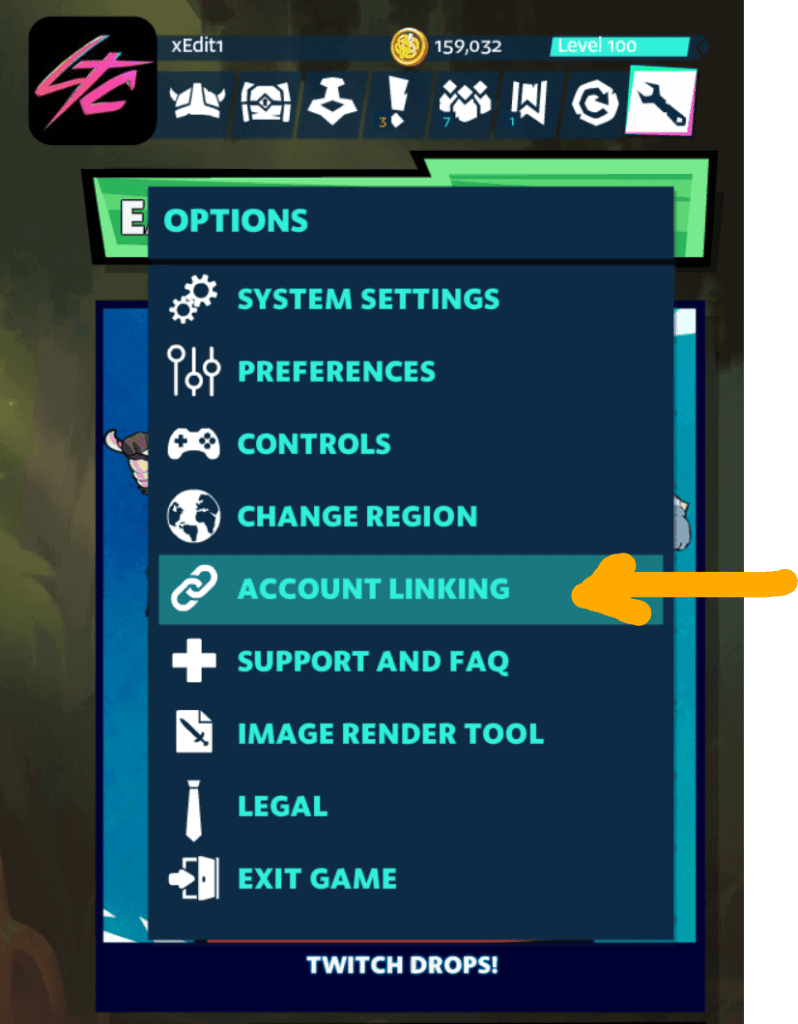
Go to settings

Brawlhalla Shop interface showing new patch and esports tournaments.
Screenshot of Brawlhalla game menu highlighting Account Linking option.
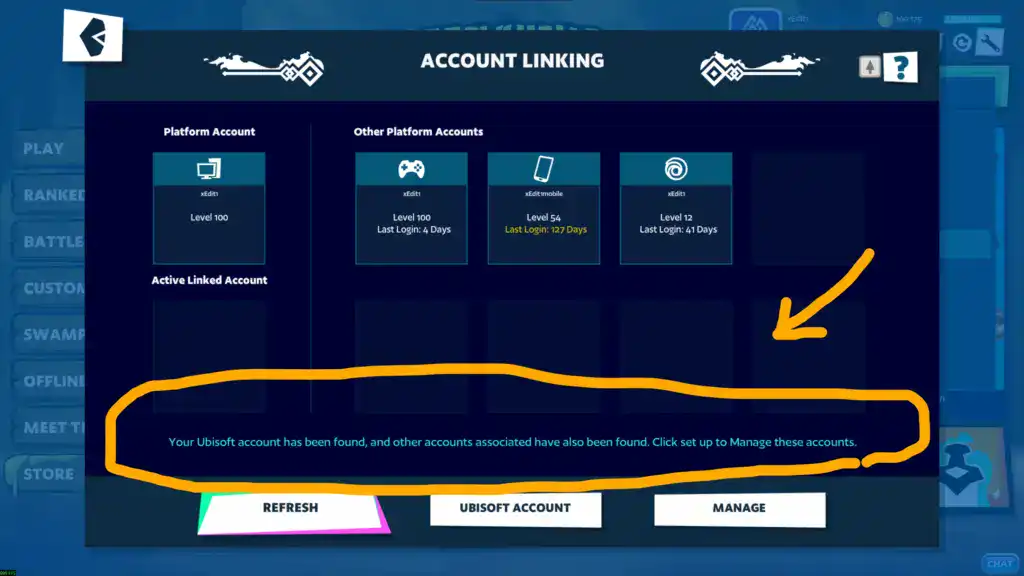
Screenshot of Ubisoft account linking interface for console players.
  • If you got this message then you have Ubisoft linked

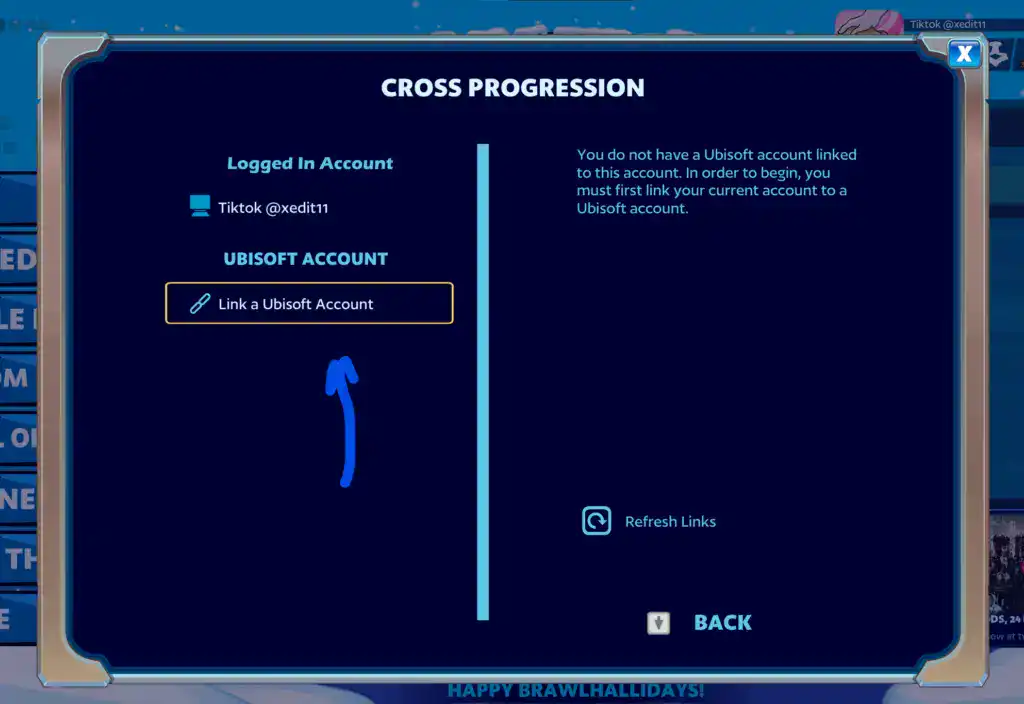
  • If you have button says ” Link An Ubisoft”  then your account doesn’t have Ubisoft linked

Question 2:

Do you have Steam account?

No –> Create a steam account from (click here) and Link This to your Ubisoft account

Yes –> Link This to your Ubisoft account if it doesn’t linked

How to link My steam account to my Ubisoft?

Open brawlhalla on your steam account

Brawlhalla Shop interface showing new patch and esports tournaments.
Screenshot of Brawlhalla game menu highlighting Account Linking option.
Brawlhalla Shop cross progression screen showing account linking options.
  • If you don’t have pc to link Just send me both, The Ubisoft login details and Steam login details and I will link it for you, no problem

Shopping cart

0
image/svg+xml

No products in the cart.

Continue Shopping